Posture Reminder and Stretch Break Timer
This free posture reminder is a work timer that turns every break into a quick physical reset. You work in focused blocks, and when the timer rings the screen shows one desk-friendly posture fix or stretch instead of a blank countdown. Nothing to install, no account.
How the posture break timer works
Tap Start timer to begin a work block; the default is 25 minutes of work and a 5-minute break. While you work, the screen stays quiet: just a ring and the time left. When the block ends you hear a chime, get a browser notification if you allowed them, and the screen switches to a posture break with one instruction to follow.
The break counts down on its own and the next work block starts automatically, so the cycle keeps going until you press Stop. Finished early? Tap Back to work to skip the rest of the break. Open Settings to drag the work slider (1 to 120 minutes) and the break slider (1 to 30 minutes), and to switch the chime or notifications on and off. Your choices are saved on your device.
Desk stretches and posture resets you will see
Think of it as a stretch break reminder that also tells you what to do. Each break picks a different prompt from a built-in list and never repeats the last one. These are desk stretches for office workers: simple movements, including neck stretches at your desk, that you can do in your chair with zero equipment:
- Neck release and chin tucks for a stiff neck
- Shoulder rolls, shoulder blade squeeze and chest opener for shoulder slump
- Seated twist and stand and reach to loosen your back
- Wrist stretch after a long stretch of typing
- Look away and palming to rest tired eyes
- Reset your seat and screen check to fix how you sit
- Ankle circles and walk it off to get blood moving
How often should you take a break from sitting?
A common rule of thumb is a short break every 25 to 30 minutes, which is why the timer defaults to 25 and 5. If you sit for long stretches, shorter work blocks mean more resets; if you prefer fewer interruptions, slide the work time up. This is general guidance, not medical advice: if you have pain or a condition, follow what your doctor or physiotherapist tells you.
Posture reminder without an app or extension
Most posture reminders are a Chrome extension or a desktop app. This one is an online break reminder with nothing to install. It is just a page: it keeps time with a background worker, so the countdown stays accurate when you switch tabs, and the tab title shows the time left. If notifications are blocked, the chime and the screen change still tell you when a phase ends. Nothing you do here is uploaded or tracked.
Frequently asked questions
Is there a free posture reminder app that works online?
Yes. This posture reminder runs in your browser, is free, and needs no account or download. Start the timer, work until it rings, and a posture reset appears on screen for your break.
How often should you take a break from sitting at a computer?
A common guideline is a short break every 25 to 30 minutes, and the default 25-minute work block sits inside it. Treat it as general guidance, not medical advice, and adjust the work slider to whatever suits you.
What is the 20-20-20 rule and can I use this as a timer?
The 20-20-20 rule says to look at something about 20 feet away for 20 seconds every 20 minutes to rest your eyes. Set the work slider to 20 minutes and you will get the Look away prompt among your break resets.
Which stretches can I do at my desk?
The break prompts include neck release, shoulder rolls, chin tucks, a seated twist, a wrist stretch, a chest opener and more. Every one is a simple desk-friendly movement that needs no equipment.
Will the timer still ring if I switch tabs?
Yes. A background worker keeps the countdown on time even when the tab is hidden, and the chime and a browser notification fire when a phase ends. If you block notifications, the chime and the tab title still change.
Does this need an app or a Chrome extension?
No. It opens in any modern browser, nothing is installed and nothing is uploaded. You can add it to your home screen if you want it one tap away.
Recommended
-
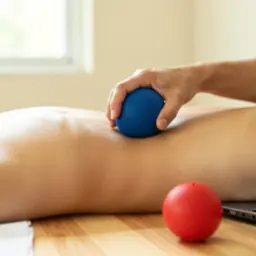 Lacrosse Massage Balls (2 pack)
Roll out neck and shoulder knots during each break.
-
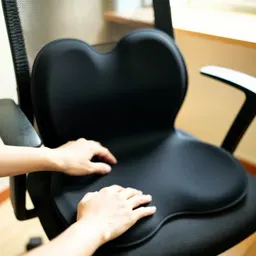 Seat Cushion and Lumbar Support Set
Sit taller between breaks, all day.
-
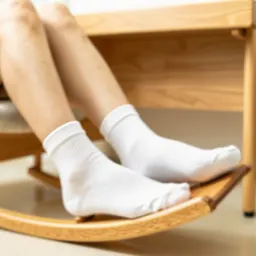 Wooden Rocking Under-Desk Footrest
Keep your legs moving while the timer runs.
Helps keep the tools free. ✨
Images are for illustration only. As an Amazon Associate I earn from qualifying purchases.