Pomodoro Timer Online
This free Pomodoro timer online alternates full-screen focus and break countdowns with a chime, a color change, and an optional pink-noise masking sound — nothing to install, no sign-up. Tap Start on the default 25-minute focus session, or open Settings first to pick a preset or your own custom durations.
How the Pomodoro Technique works
The Pomodoro Technique breaks work into short, timed sessions of focused effort separated by brief breaks — traditionally 25 minutes of work followed by a 5-minute break, named for the tomato-shaped kitchen timer its creator originally used. The idea is that a countdown you can see removes the temptation to check the clock, and a guaranteed break at the end keeps a long task from turning into one unbroken slog.
Tap the Focus or Break toggle to choose which phase to start, then tap Start. The countdown runs even if you switch tabs — it's based on the actual clock time, not a tick counter, so it can never drift behind.
Full-screen focus and break colors
While a session is running, the whole screen turns a solid color — deep red for Focus, calm green for Break — so you (or anyone glancing at your screen) can tell which phase you're in from across the room, without reading the clock at all. A circular progress ring fills in around the time as the session runs.
Presets: Classic 25/5, Long Focus 50/10, Writing Sprint 10/2
Open Settings and tap a preset to set both durations at once:
- Classic (25/5) — the original Pomodoro ratio, good for most tasks
- Long Focus (50/10) — for deep-focus work like writing or coding that takes longer to get into
- Writing Sprint (10/2) — short, frequent bursts for drafting or brainstorming
Custom durations and auto-advance
Prefer your own numbers? Enter any Focus duration from 1–120 minutes and any Break duration from 1–60 minutes directly in Settings — they're saved on your device for next time. Turn on Auto-advance and the next phase starts on its own a couple of seconds after the current one ends, so you never have to tap through manually; leave it off and a "Start Break" / "Start Focus" button appears instead, ready the instant you tap it.
Pink noise and the phase-transition chime
Turn on Pink noise in Settings to play a soft masking sound for the length of each focus session — it's synthesized in your browser, not a streamed or downloaded file, so it starts instantly and stops the moment a break begins. A short chime also plays whenever a phase ends (toggle it off under Chime if you'd rather rely on the screen flash and color change alone).
Hide-numbers / progress-only mode
If watching the seconds count down is itself a distraction, turn on Progress-only mode in Settings. The MM:SS digits disappear while a session is running, leaving just the filling ring as a quiet sense of how much time is left.
Frequently asked questions
How does a pomodoro timer work?
You pick a focus length (25 minutes by default) and a break length (5 minutes), then start the countdown. When the focus session ends, a chime and a full-screen color change signal it's break time; when the break ends, the same happens in reverse. The cycle repeats for as many rounds as you like.
How long is a pomodoro?
A classic pomodoro is 25 minutes of focused work followed by a 5-minute break. That's the default here, but the Focus and Break durations are both fully customizable, from 1 minute up to 120 minutes for focus and 60 minutes for break.
How do I set a custom pomodoro timer?
Tap Settings on the main screen, then enter any Focus and Break duration you want in minutes. Your custom durations are saved on your device, so the timer remembers them the next time you open it.
What is the 50/10 pomodoro method?
50/10 is a long-focus variant of the technique: 50 minutes of work followed by a 10-minute break, instead of the classic 25/5. It suits deep-focus tasks that take longer to get into, like writing or coding. Tap the 50/10 preset in Settings to switch to it instantly.
What is a writing sprint timer?
A writing sprint timer alternates short bursts of writing with brief rests — 10 minutes of writing followed by a 2-minute break is a common pattern. Select the Writing Sprint preset in Settings to load these durations.
Is there a pomodoro timer with pink noise?
Yes — turn on Pink Noise in Settings and a synthesized pink-noise masking sound plays for the duration of each focus session, then stops automatically on a break. It's generated in your browser, not streamed, so it starts instantly and needs no download.
Recommended
-
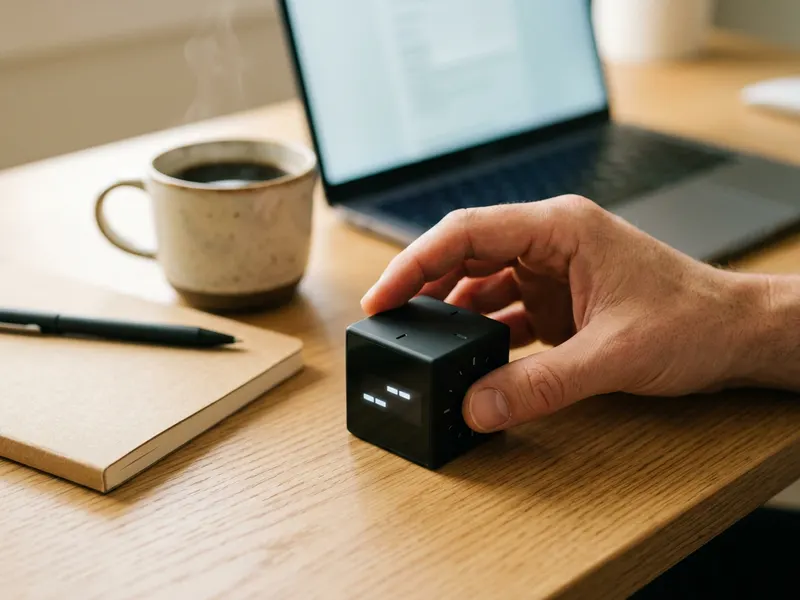 ODRAI Flip Cube Timer (5/10/25/50 min)
Flip it to the 25 side and a focus block starts, no phone or tab needed.
-
 Soundcore Q30 Noise Cancelling Headphones
Shut out chatter and street noise for the whole 25 minutes.
-
 Clever Fox Planner PRO (Forest Green)
Plan the week's tasks, then tick off each focus block as you finish it.
Helps keep the tools free. ✨
Images are for illustration only. As an Amazon Associate I earn from qualifying purchases.