Redact PDF Online Free
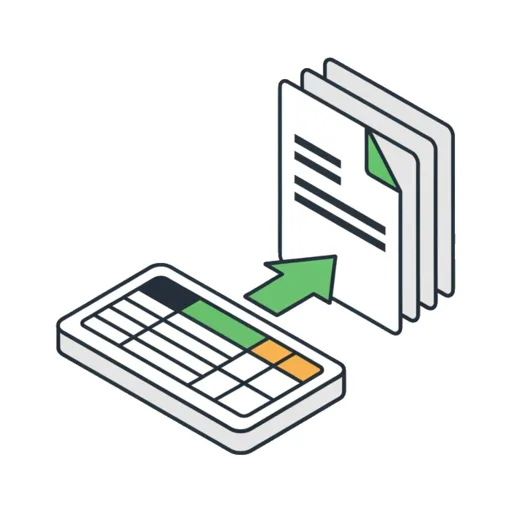
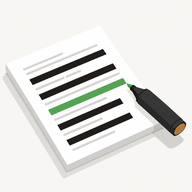
Pay Stub Redactor lets you redact a PDF online free — draw solid black boxes over any sensitive text and download a clean, flattened copy. It works on pay stubs, tax forms, bank statements, and ID scans, as a PDF or an image. Your document never leaves your browser — there is no upload, no account, and no Adobe Acrobat required.
Add your PDF or image above, drag solid black boxes over any sensitive text, and download a clean, flattened copy. Works on pay stubs, tax forms, bank statements, and ID scans — nothing leaves your browser.
Ready to black out something private? It takes two taps.
Use the free redactor →How to Redact a PDF Online Free
The whole process runs in your browser tab — nothing is sent to a server — and it takes two screens. Here is the full flow:
- Open capsuletools.app/pay-stub-redactor/
- Tap the dropzone and choose your PDF or image (or paste a screenshot from the clipboard)
- The document opens full-screen — drag your finger or mouse across any text you want to hide to draw a solid box over it
- Repeat for every private field; use Undo if you misplace a box
- Tap Download to save the flattened, redacted file (
[filename]-redacted.pdfor.png)
A Settings button lets you switch the box color to white (to blend with paper) and choose whether to export a PDF or a PNG. Files up to 10 MB are supported.
Black Out Text in PDF Without Adobe
To redact a PDF, people usually reach for Adobe Acrobat — but the redaction tool sits behind a paid Acrobat Pro subscription. This tool needs none of that. It opens your PDF, renders the first page, and lets you black out text in the PDF by dragging boxes over it, then exports the result. No Acrobat, no Pro plan, no install.
It is important to know the difference between redacting and merely covering text. Dropping a black rectangle on top of a PDF in some editors leaves the original words in a text layer underneath — anyone can select, copy, or delete the box to reveal them. This tool avoids that trap entirely (see below).
Works on Any Document: Pay Stubs, Tax Forms, Bank Statements
Although it is built for the pay-stub case — hiding your Social Security number, net pay, and home address before sending a stub to a landlord or lender — the same flow works for any document where you need to hide sensitive information in a PDF or image:
- Pay stubs — SSN, salary, year-to-date earnings, bank routing number
- Tax forms — W-2 and 1099 identifiers, employer EIN
- Bank statements — account numbers, balances, transactions
- ID scans — passport, driver's license, and ID card numbers
It accepts both PDFs and common image formats, so whether you scanned a document or photographed it with your phone, you can redact personal information on the PDF or picture in the same place.
- JPEG
- JPG
- PNG
- WebP
Your Document Never Leaves Your Browser
Most "redact PDF online" sites upload your file to their servers to process it — which means your pay stub or tax form, with every private number still on it, is sitting on someone else's computer. This tool is different: it runs entirely in your browser. The PDF is rendered and flattened locally, so you can redact a PDF in the browser with nothing transmitted anywhere.
Because the export is a flattened image of the page, the tool permanently removes the hidden, sensitive information from the PDF: there is no text layer left under the boxes to recover. What you download is exactly what you see — and nothing more.
Frequently Asked Questions
Can I redact a PDF for free without signing up?
Yes. This redactor is completely free and there is no sign up, account, or email required. Open the page, choose your PDF or image, draw black boxes over the sensitive text, and download the redacted file. Because everything runs in your browser, there is nothing to register for and no file is ever uploaded.
How do I redact a PDF without Adobe?
You do not need Adobe Acrobat or any desktop software. Open this page in any browser, choose your PDF, and drag across the text you want to hide to draw a solid box over it. When you tap Download, the boxes are flattened into the page and you get a redacted PDF — no Adobe, no install, no subscription.
How do I redact a PDF on Mac for free?
Open this tool in Safari or Chrome on your Mac and pick the PDF from Finder. Draw black boxes over anything private, then download the flattened copy. It is faster than Preview for true redaction because the covered text is permanently burned into the pixels rather than sitting under a removable shape.
How do I redact a PDF on Windows for free?
On Windows, open this page in Edge, Chrome, or Firefox and choose your PDF. Draw boxes over the sensitive fields and tap Download to save the redacted file. There is no software to install and the document never leaves your PC, so it works even on a locked-down work computer.
How do I safely redact a PDF so the text can't be recovered?
Safe redaction means the hidden text is destroyed, not just covered. This tool renders your document to an image and paints the black boxes directly onto the pixels, then exports that flattened result. There is no text layer left underneath, so the redacted content cannot be selected, copied, or recovered from the saved file.
How do I permanently remove sensitive information from a PDF?
Cover each piece of sensitive information — SSN, salary, account number, address — with a box, then download. Because the export is a flattened image of the page, the original text behind every box is permanently removed from the new file. The download contains only the picture you see, with nothing hidden underneath.